
research/js-frontend-recon-secrets/index.mdx
The Frontend Ships to Everyone, and Developers Forget That
Client-side reconnaissance with jsrecon: JavaScript bundles, source maps, hidden endpoints, secrets, DOM-XSS leads, and the code developers forget they shipped.
$ cat ./research/js-frontend-recon-secrets/index.mdx --section summaryLoaded sanitized MDX. Rendering public, published research content only.
Tool: github.com/black3dm0nd/jsrecon
Every single-page app hands you its source code. That's not a vulnerability, it's the design: the browser needs the JavaScript, so the server sends it, to every visitor, logged in or not. Most testers glance at the network tab, see a wall of minified app.4f9c.js, and move on. That wall is where the good findings live.
Developers treat the frontend like it's private. It isn't. They hard-code an API key "temporarily," leave a // TODO: remove before prod next to a staging credential, wire up routes to an admin panel that the UI hides but the bundle still references, and ship a source map that reconstructs the original pre-minification code comment for comment. All of it rides along in the JavaScript, and all of it is readable by anyone who bothers to look.
Bothering to look is the whole technique. Here's how I do it, and the tool I wrote so I stop doing it by hand.
This is for authorized testing, on assets you own or an in-scope bug bounty. For anything that looks like a live secret, validate it read-only. You don't need to drain an S3 bucket to prove it's exposed.
Find the JavaScript first
Before you scan anything, you need the full list of scripts a page actually pulls. A modern bundler doesn't put it all in one file. There's the entrypoint, vendor chunks, lazy-loaded route chunks, web workers, dynamic import() calls, and the webpack runtime that knows the URLs of chunks that haven't loaded yet. Miss those and you've read a third of the app.
I wrote jsrecon to handle the whole client side in one pass. First move is usually inventory: list every JS URL the page references, without fetching or scanning, so I can eyeball it or pipe it onward.
1# list every JS file the page loads, don't scan yet2python3 jsrecon.py -u https://target/ --extract -o js_urls.txt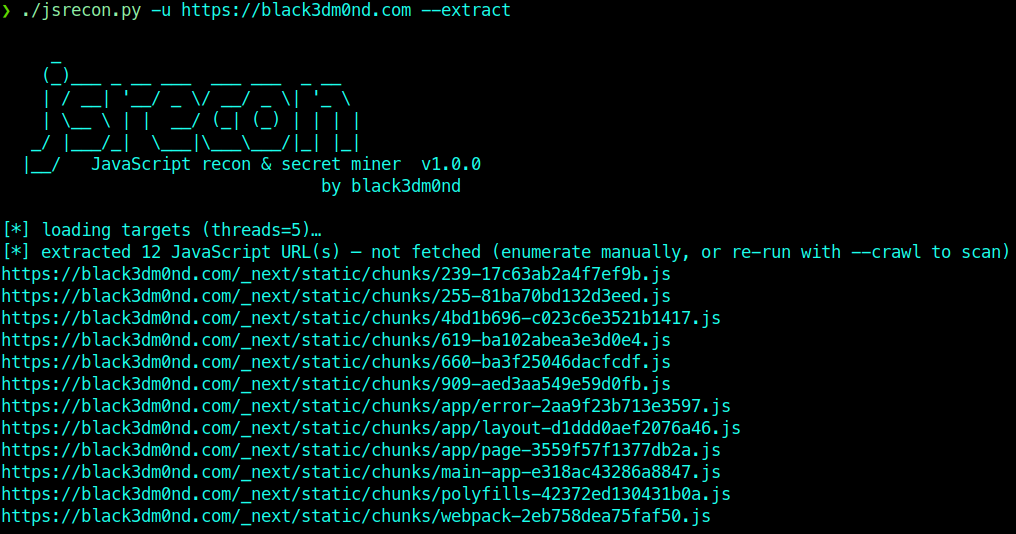
Twelve chunks from one page, and that's a small site. On a real app it's dozens, and the interesting one is never the first. The lazy-loaded chunk named after a feature you weren't supposed to see is the one you want.
Then read what they left in it
Once you know the files, you mine them. jsrecon beautifies each bundle and pulls out the categories that matter on an engagement: hard-coded secrets, API endpoints, directories and path prefixes, query parameters, domains and subdomains, internal IPs, S3 buckets, high-confidence DOM-based XSS, client-side misconfigurations, and developer comments. Everything is de-duplicated across every file and tagged with the source file and a one-line exploitation hint.
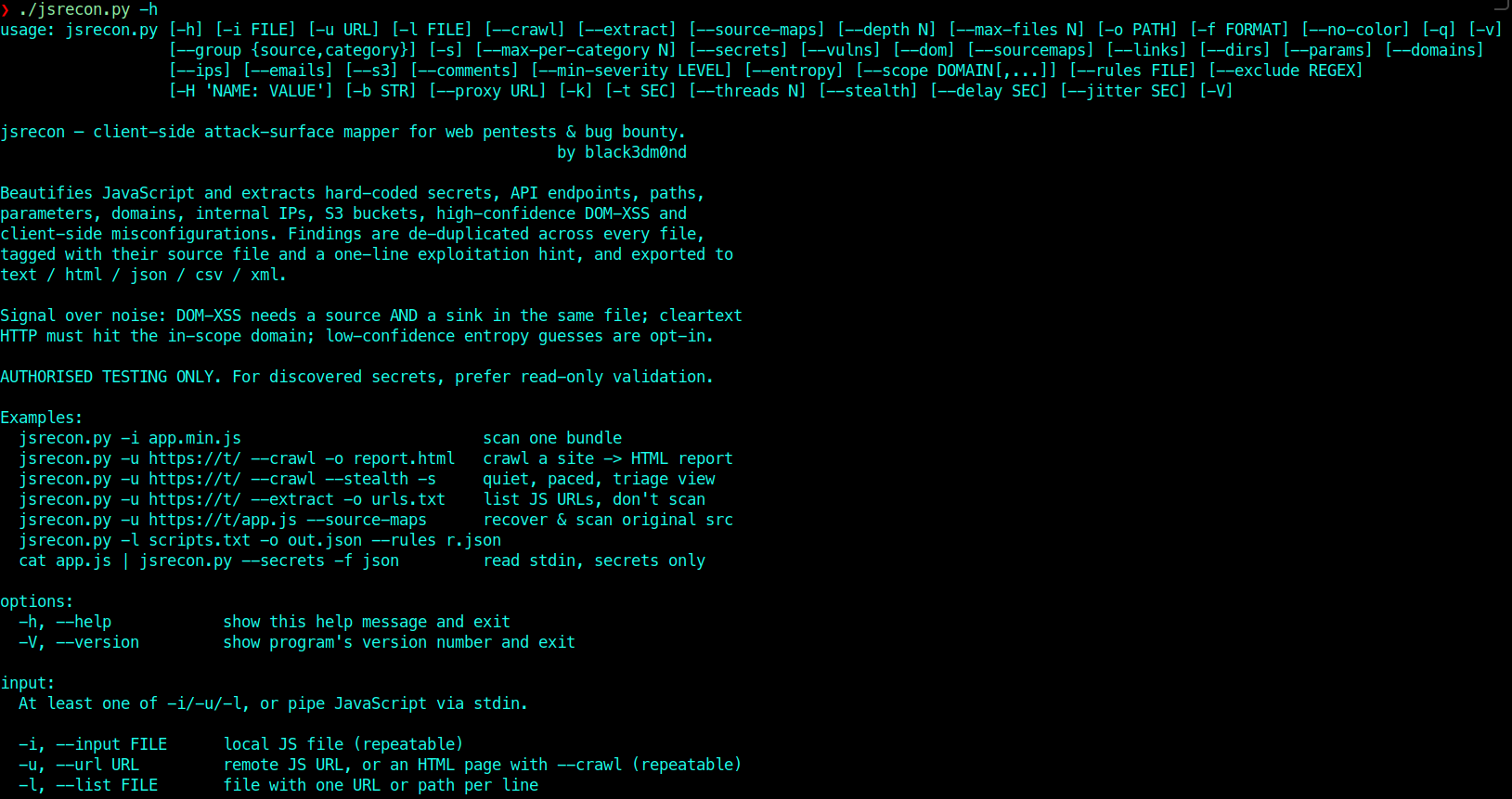
1# crawl the whole page: <script src>, inline, dynamic import(), webpack chunks2python3 jsrecon.py -u https://target/ --crawl --depth 3 -o loot/report -f html,json3 4# or focus: secrets + DOM-XSS, through Burp, paced and low-profile5python3 jsrecon.py -u https://target/ --crawl --secrets --dom --stealth \6 --proxy http://127.0.0.1:8080 -kThe crawl follows JS to JS, reconstructs the webpack chunk URLs, fetches each one, scans it, and collapses the repeats into a single ranked report.
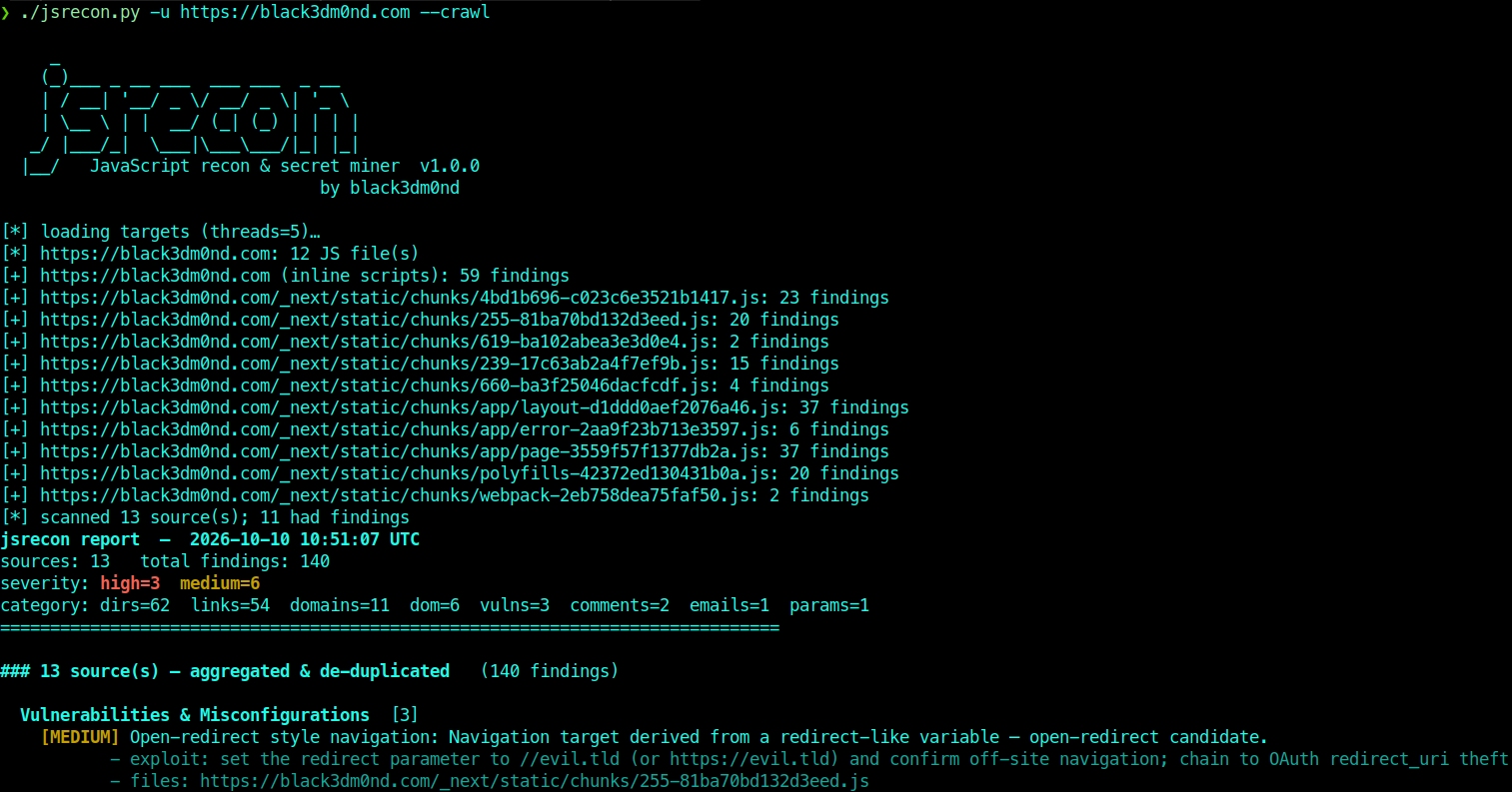
That run is against my own site, which is a clean static Next.js build, so the pickings are deliberately thin: no secrets, no leaked internal hosts, just directories, links, a handful of domains, and one medium open-redirect-style pattern worth a look. That's the honest version. The point of the screenshot is the shape of the output and the categories it buckets into, not the contents of a research blog with nothing to hide. Point the same tool at an app a team actually ships features through and those empty columns fill in fast, because somebody always leaves something.
The signal-over-noise rules are what make it usable. DOM-XSS only fires when a source and a sink live in the same file. Cleartext-HTTP findings only count when they hit the in-scope domain. Low-confidence entropy guesses are opt-in, so you're not drowning in base64 that turns out to be a sprite sheet.
The directories and endpoints are a map
Secrets get the headlines, but the quieter win is the endpoint and directory extraction. The frontend has to know every API route it can call, so the bundle is a near-complete map of the backend's surface, including the routes the UI never shows you.
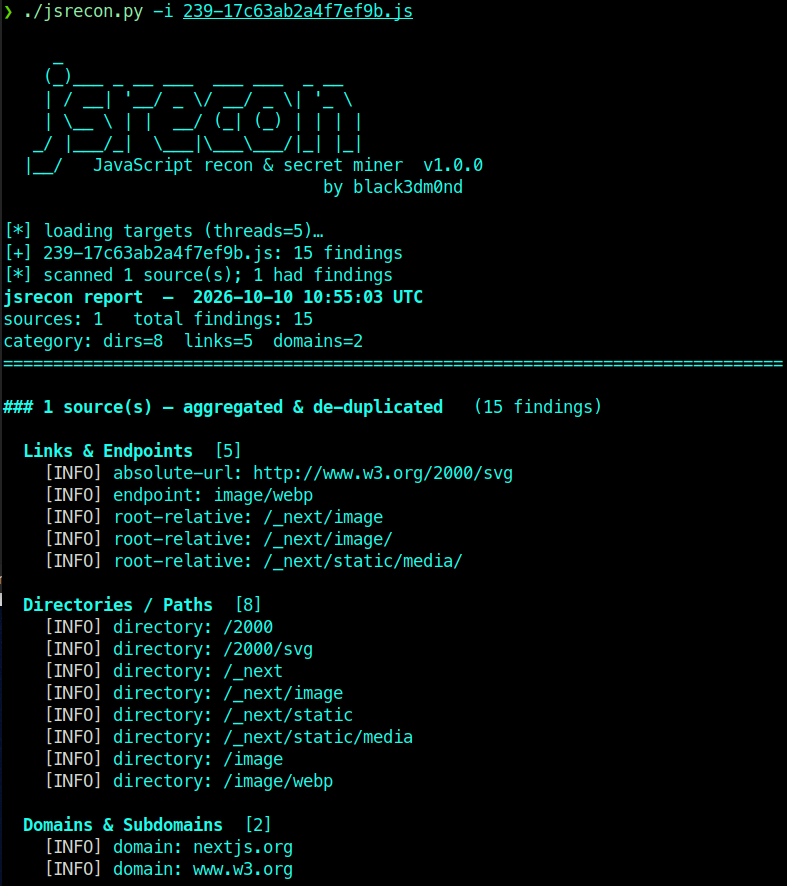
Pull the directories and you've got a wordlist built from the application's own code, which beats any generic list because it's the real paths, not guesses. Pull the endpoints and you've got the API surface, including the /admin/, /internal/, and /v2/ routes that exist but aren't linked. Pull the domains and you've found the staging host, the CDN, the third-party APIs they integrate with.
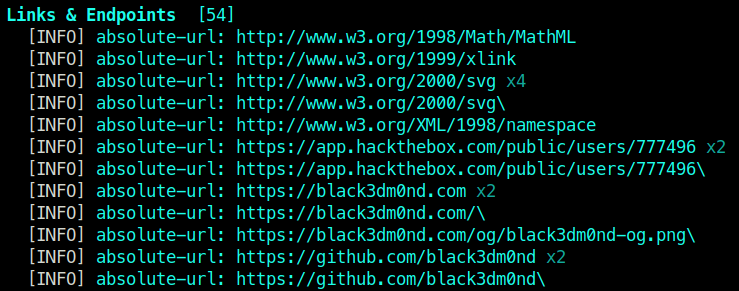
1# directories only, wordlist-ready2python3 jsrecon.py -i app.min.js --dirs -f txtSource maps hand you the original code
When a .map file ships, and they ship constantly because someone forgot to strip them from the production build, minification is undone entirely. The variable names, the file structure, and the comments come back. jsrecon reads the sourceMappingURL, pulls the map (external file or inline data: URI), and scans the recovered sourcesContent too.
1python3 jsrecon.py -u https://target/static/app.min.js --source-mapsA comment that said // auth bypass for QA, remove survived minification as dead whitespace. The source map brings the words back. I've found more in recovered source than in the shipped bundle more than once, because developers write honestly in code they think nobody reads.
Turn findings into attack vectors
Extraction is step one. The value is what you do with each category.
- Secrets. Identify what the key is for, then validate read-only. A cloud key gets a
whoami-style identity call, not a destructive one. Half the "exposed" keys are scoped to nothing; the other half are the engagement. - Hidden endpoints. The routes the UI hides are where authorization is thinnest, because the devs assumed nobody would find them. Test them for missing auth, IDOR, and functions that were supposed to be admin-only.
- Directories. Feed them to your content discovery as a tuned, app-specific wordlist.
- DOM-XSS. A flagged source-to-sink pair in one file is a lead to confirm by hand, not a finding to report blind.
- Comments. Read them.
TODO,FIXME,HACK, a username, an internal ticket number, a reason a check was disabled. Comments are where developers tell you what they were worried about.
What this really is
Client-side recon is reading the code the target gave you on purpose and finding the parts they didn't mean to include. It costs nothing, it touches the application lightly, and it routinely finds the thing that unlocks the rest of the test: the endpoint that wasn't meant to be reachable, the key that wasn't meant to ship, the comment that explains exactly where the soft spot is.
Developers keep forgetting that the frontend is public. As long as they do, reading it carefully will keep paying.
Affected technology
Remediation
Use this material only inside authorized scope, keep notes reproducible, and validate every automated finding by hand before reporting.
Disclosure timeline
References
Related posts
No research found
Try a different search or filter set.