
research/m365-identity-recon-phishing/index.mdx
Before You Send a Phishing Email, Know Who Runs Their Front Door
Credential-free Microsoft 365 and Entra ID identity reconnaissance for authorized phishing preparation, tenant fingerprinting, username formats, and validated target lists.
$ cat ./research/m365-identity-recon-phishing/index.mdx --section summaryLoaded sanitized MDX. Rendering public, published research content only.
Tool: github.com/black3dm0nd/m365hunt
A phishing campaign is won before the first email goes out. Not in the copywriting, not in the landing page, but in the half-day of quiet identity recon that tells you who runs their logins, how their people sign in, what their email addresses look like, and which of those addresses are real. Get that wrong and you send a thousand emails to a Google shop with a cloned Microsoft page, half of them bounce off addresses that don't exist, and the only thing you've accomplished is handing their SOC a clean sample of your infrastructure.
Get it right and the campaign almost runs itself, because every decision after that point is made for you by what you learned.
This is the identity-recon half of phishing prep, the part that happens on authorized engagements with a signed scope and a client who asked for it. Everything here is credential-free and sourced from public authentication endpoints. No password is ever sent to anyone.
Who runs their identity, and why it decides everything
The first question is not "what's their email format." It's "who answers when someone tries to log in." Microsoft 365 behaves nothing like Google, and an org federated out to Okta or Ping behaves nothing like a cloud-managed Entra tenant. Your landing page, your pretext, and your whole MFA strategy depend on that answer, so you resolve it first.
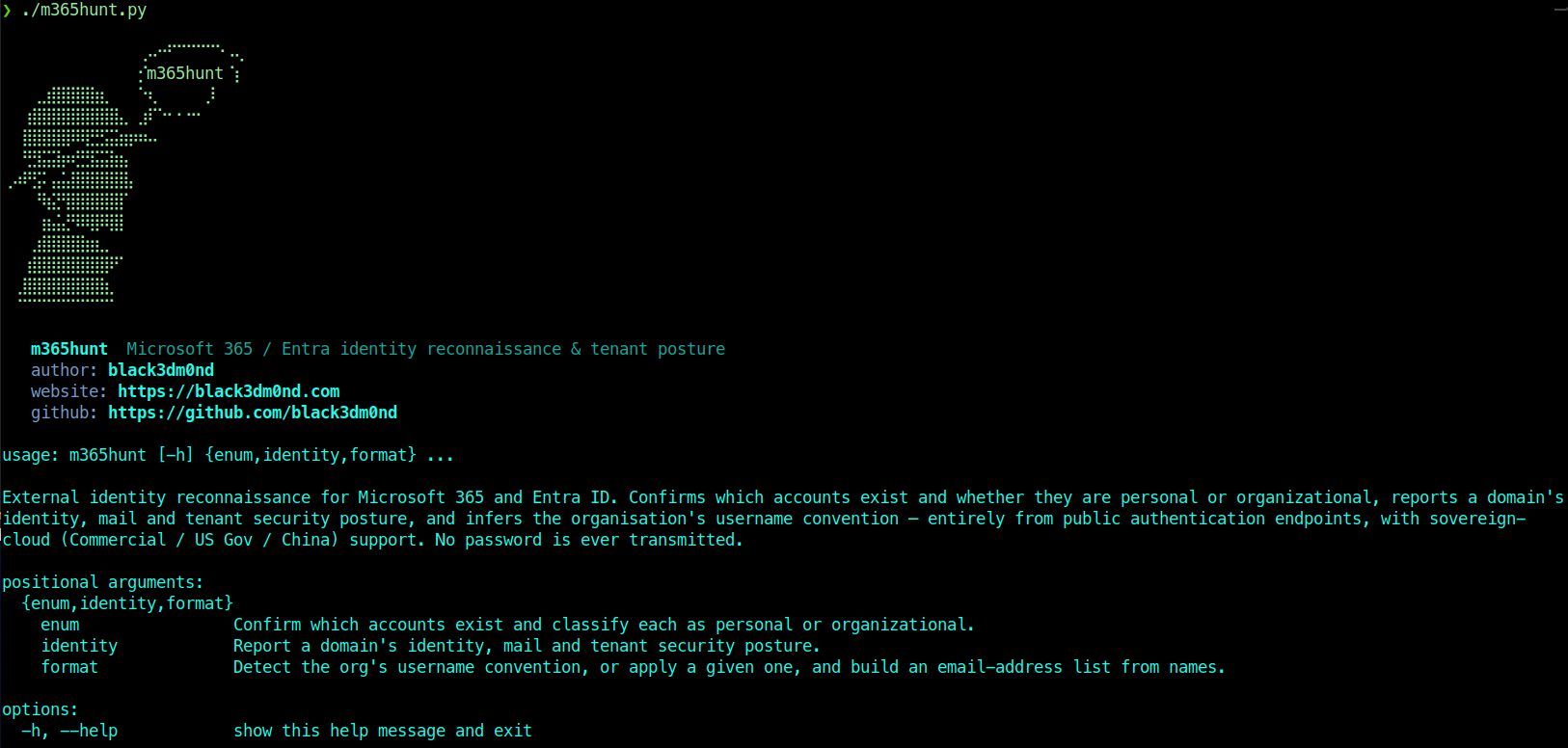
I wrote m365hunt to answer it in one pass. It fingerprints a domain's identity from public endpoints: the mailbox provider from MX, the sovereign cloud and managed-vs-federated realm from getuserrealm, the Entra tenant GUID and region from the OpenID configuration, the federation IdP and AD FS version from the realm's auth URL, Seamless SSO, and whether legacy auth is still reachable. Credential-free, no API keys.
1# the whole identity picture for a domain2./m365hunt.py identity acme.com3 4# and pull every domain attached to the tenant, ready to feed into enum5./m365hunt.py identity acme.com --domains tenant-domains.txt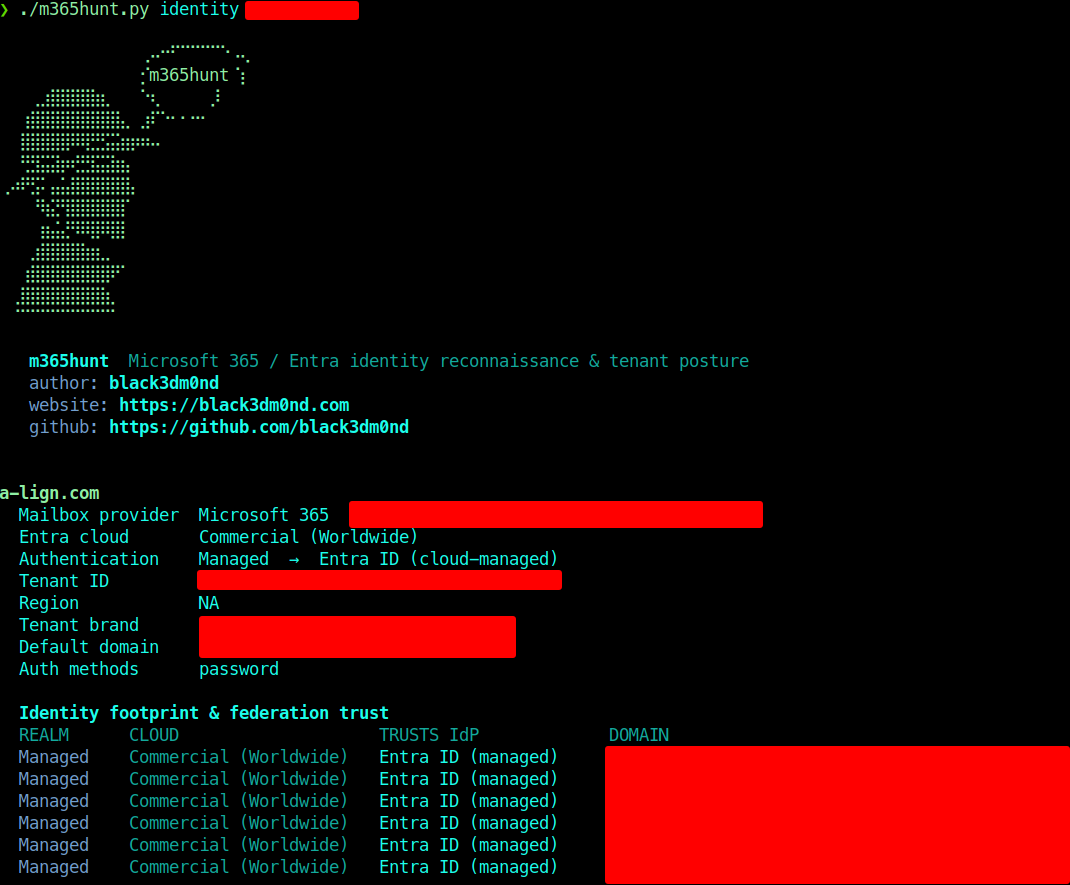
That output tells me the things that shape the campaign. This is Microsoft 365, Commercial cloud, cloud-managed Entra ID (so no third-party IdP page to mimic), the tenant's region and brand, and a federation-trust map of every domain the tenant owns. If the authentication line had said "Federated" and pointed at Okta, my landing page would need to be the Okta flow, not the generic M365 one, and that single fact is the difference between a convincing page and one that makes a target hesitate. The tenant brand matters too, because that's the logo and text their real users see at sign-in, and matching it is free credibility.
What their login actually accepts
Knowing the provider is step one. Knowing how their people are allowed to authenticate is step two, and it's the step that decides whether you're spraying passwords or proxying a session.
1# add the advertised sign-in methods to an enum pass2./m365hunt.py enum -d acme.com -U users.txt --methodsThe advertised sign-in methods (password, Authenticator, FIDO2, SMS, federation) tell you what you're up against. If accounts advertise FIDO2, classic credential phishing is mostly dead against them and you plan for session theft or you find the users who aren't enrolled. If legacy auth is still reachable, there's an MFA-bypassable path that a lot of orgs forget they left open. Seamless SSO, the realm type, the federation target: each one removes a guess. By the time I move on, I'm not hoping the login looks a certain way, I know it does.
The email format, then the list that's actually real
Now the usernames. You start from a handful of known names, which you already have from the company profile and ten minutes on LinkedIn. Feed those to the format module and it tests the common conventions against the real tenant until one holds across all your known people.
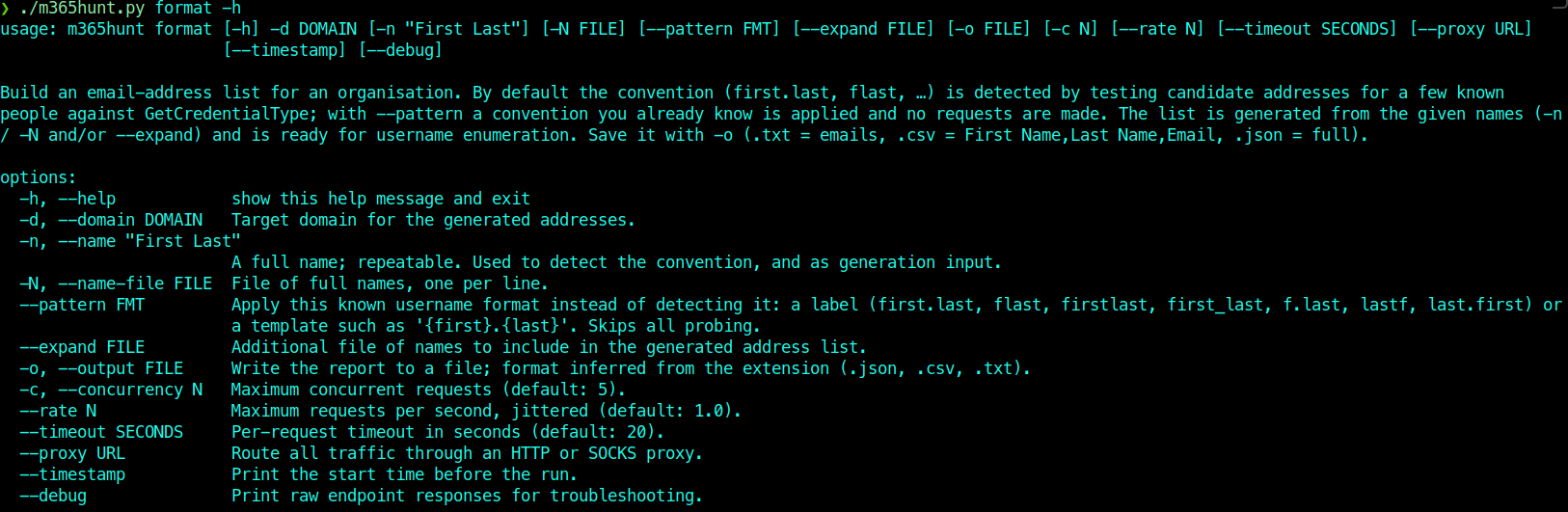
1# detect the convention from a few confirmed names2./m365hunt.py format -d acme.com -n "Jane Doe" -n "Alan Smith" -o people.csv3 4# or, if you already know it, apply it with zero requests5./m365hunt.py format -d acme.com --pattern flast -N staff.txt -o emails.txtGuessing the format is the amateur move. jane.doe@, jdoe@, janed@, doej@ are all plausible, and sending to the wrong one means bounces, and bounces are noise that gets campaigns caught. Detecting the convention against the actual identity endpoint means every address you generate has a real shape.
Then you validate. A generated list is a list of guesses until you confirm which addresses map to accounts that exist, and that's enum, which checks each identity with a single existence probe and labels it personal or organizational, never sending a password.
1# confirm which addresses are live accounts; write just the valid ones2./m365hunt.py enum -U emails.txt -o valid.txt --rate 0.5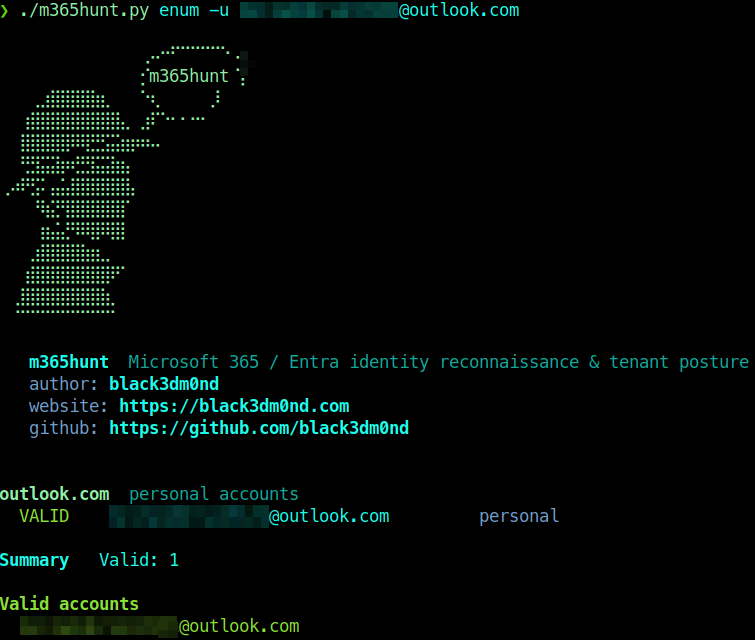
Validation before sending is the single biggest quality lever in a phishing campaign. You email only confirmed inboxes, so your bounce rate drops to near zero, your volume drops because you're not spraying dead addresses, and your hit rate climbs because every message lands on a real person. Fewer emails, aimed better, is also quieter, which is the whole point when a SOC is watching for a spike. Pace it with --rate, route it through a proxy if attribution matters, and you've built a target list that's real before you've written a word of the lure.
From a validated list to a campaign
At this point the recon has made most of the decisions. You know the provider, the sign-in methods, the brand, the format, and exactly who exists. The campaign is assembly from here.
- Pretext comes from the company profile you already built. The new internal portal someone keeps posting about, the vendor they clearly use, the HR system named in a job listing. Recon writes the lure; you just phrase it.
- Infrastructure is a look-alike domain with real TLS, warmed and categorized so a secure email gateway doesn't drop it, with SPF, DKIM, and DMARC set on your sending domain so you reach the inbox instead of the junk folder. A redirector in front keeps your real infrastructure off the logs that get handed to incident response.
- The landing page has to match what you fingerprinted. This is the payoff for the identity work. A cloud-managed M365 tenant gets the Microsoft flow with their tenant branding. A federated org gets their IdP's flow. A mismatch here is the most common reason a target stops and thinks.
- MFA is the default now, so the modern play is adversary-in-the-middle, a reverse proxy that relays the real login and captures the session token rather than a static password. Tools like evilginx handle the proxying and GoPhish handles the campaign orchestration and tracking. The sign-in methods you pulled earlier told you whether this is even worth it or whether FIDO2 is going to ruin your day.
- Send only to validated accounts, slowly. The list you confirmed is the reason you can keep volume low and timing human.
I'm keeping this half deliberately high-level. The recon is the transferable skill and the part worth writing down. The delivery tooling is well-documented elsewhere, and on a real engagement it's wrapped in a scope document and a lot of client-specific care.
What defenders should take from this
Since this is reconnaissance against identity, the fixes live there too, and they're worth stating because the same recon that enables the attack maps the exposure.
Kill legacy authentication, because it's the MFA bypass that keeps giving. Push phishing-resistant MFA, FIDO2 or passkeys, because that's the control that actually breaks adversary-in-the-middle instead of slowing it down. Assume the username format and account existence are discoverable, because getuserrealm and GetCredentialType are load-bearing parts of how sign-in works and you can't simply turn them off, so detection and response matter more than hoping enumeration fails. Watch for newly registered look-alike domains. Make it easy for a user to report a suspicious login page, and make sure someone acts on it fast when they do.
The lesson cuts the same both ways. Phishing is an identity problem long before it's an email problem. The campaign is decided in the recon, where you learn whose front door you're knocking on and who's actually home. The email is the easy part, and if the recon is good, it's the only part that was ever in doubt.
Affected technology
Remediation
Use this material only inside authorized scope, keep notes reproducible, and validate every automated finding by hand before reporting.
Disclosure timeline
References
Related posts
No research found
Try a different search or filter set.