
research/recon-company-profiling-research/index.mdx
Recon Is the Engagement. The Shell Is Just the Receipt.
How to build a company profile before touching the target: infrastructure, identity, people, public exposure, Ghost Eye automation, and where human judgment still matters.
$ cat ./research/recon-company-profiling-research/index.mdx --section summaryLoaded sanitized MDX. Rendering public, published research content only.
Every test I've won was won in recon, not in exploitation. By the time I'm throwing a payload I already know it's going to land, because the week before told me exactly where the soft spot was. The flashy part of this job is the shell. The part that decides whether you get one is the slow, unglamorous stretch at the start, where you sit and assemble a picture of a company from the outside until you understand its attack surface better than most of the people who work there.
Skip it, or do it lazily, and the whole engagement inherits the mistake. You'll burn days brute-forcing a login that a job posting would have told you uses SSO. You'll miss the forgotten subdomain that was the actual way in. Recon is not the warm-up. It's the part that sets the ceiling on everything that follows.
So this is how I build a company profile, what I use, and where automation stops and judgment has to start.
Passive until you have a reason not to be
The first rule is that you don't touch the target until the public internet has nothing left to give you. Everything a company has ever leaked is sitting in DNS, certificate transparency, breach dumps, LinkedIn, job boards, and public repos, and none of it sends a single packet to their infrastructure. You can map most of an org without them ever knowing you looked.
Passive sources I lean on before anything active:
1# certificate transparency: the fastest honest list of a company's names2curl -s 'https://crt.sh/?q=%25.example.com&output=json' | jq -r '.[].name_value' | sort -u3 4# passive subdomain aggregation across dozens of sources5subfinder -d example.com -all -silent | tee subs.txt6amass enum -passive -d example.com7 8# who owns the IP space: ASN, netblocks, the shape of their hosting9whois -h whois.cymru.com " -v 203.0.113.10"10 11# mail + spoofability, which decides whether phishing is even on the table12dig +short txt example.com # SPF13dig +short txt _dmarc.example.com # DMARC policyCertificate transparency alone will hand you internal-sounding hostnames nobody meant to publish. Breach data (HaveIBeenPwned, the paid aggregators) tells you which employees reuse passwords and what the email format is. Job postings are an underrated goldmine: they list the exact tech stack, the ticketing system, the cloud provider, sometimes the EDR. People will tell a candidate what they'd never tell an attacker, not realizing those are the same person.
Build the whole company, not a list of subdomains
A pile of subdomains is not a profile. The mistake junior testers make is collecting data and calling it recon. The point is to understand the organization as a system, so you can reason about where it's weak. I build it in layers.
- Infrastructure. Domains, subdomains, IP ranges, ASN, cloud footprint. Which assets sit behind a CDN or WAF, and whether the origin IP leaked somewhere it shouldn't.
- Identity and mail. Do they run Microsoft 365 or Google? Is there an Entra tenant, an SSO portal, an autodiscover endpoint? Can their domain be spoofed, or did someone actually configure DMARC?
- People. Names, roles, email format, who's technical, who's in finance, who just started and hasn't had security training yet. This is your phishing surface and your password-spray list.
- Tech and exposure. Public-facing services and versions, exposed
.gitdirectories, open cloud buckets, source maps, secrets committed to GitHub, anything in the Wayback Machine the current site tried to bury.
Tools for the active and deeper passes, once passive is exhausted and scope allows:
1# resolve + probe what you found, grab titles and detected tech2cat subs.txt | dnsx -silent | httpx -silent -title -tech-detect -status-code3 4# exposed services, versions, CVEs without touching them yourself5shodan search 'org:"Example Corp"'6shodan host 203.0.113.107 8# secrets and internal references leaking through public code9trufflehog github --org=example-corp10gitleaks detect --source ./cloned-public-repoEach layer informs the others. The email format from people OSINT feeds the password spray. The exposed origin IP from infrastructure bypasses the WAF you were about to waste time on. The M365 tenant tells you whether to prep a device-code phish or a password spray against the login portal. Recon isn't a list, it's a graph, and the edges are where the attacks live.
Why I built Ghost Eye
Here's the problem with the workflow above: it's a lot of tabs, a lot of half-remembered one-liners, and a lot of sources you'll forget to check at 2am on day three. Doing the same passive sweep by hand on every engagement is tedious, and tedious work is where things get skipped.
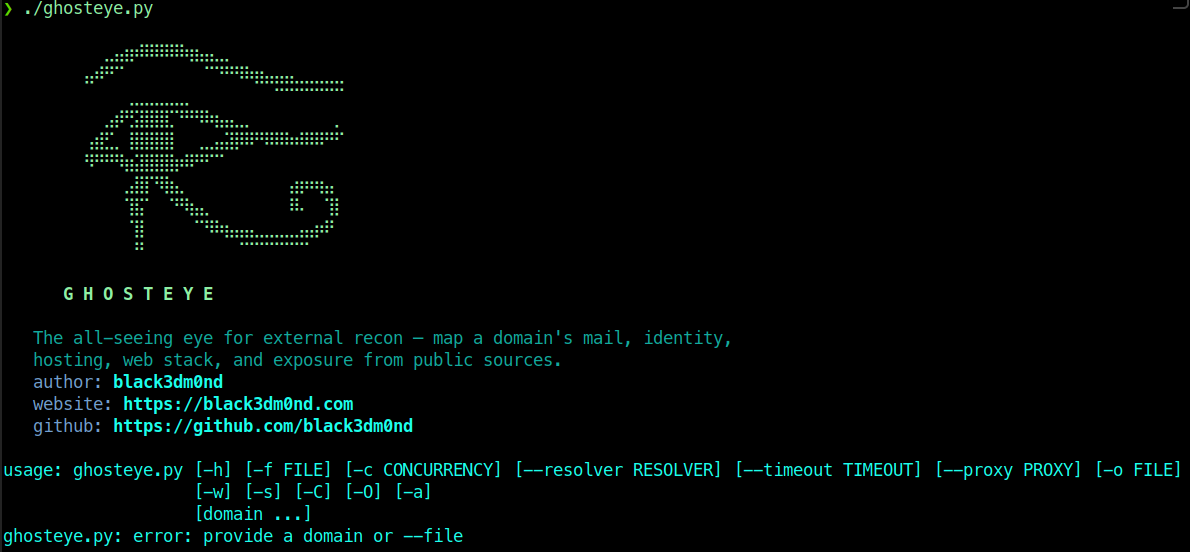
So I wrote Ghost Eye, a company profiler that runs the passive pillars automatically and hands back a report. Point it at a domain and it pulls the picture together from public sources: registration and WHOIS, hosting and ASN with cloud attribution, exposed services and known CVEs, the Microsoft 365 / Entra tenant if one exists, the full mail posture with an SPF/DMARC/DKIM spoofability verdict, and the SaaS and vendor footprint. The active modules, which do touch the target, are opt-in: website fingerprinting with checks for exposed .git, cloud buckets and source maps, subdomain enumeration with possible origin IPs behind a CDN, and people-and-email OSINT with inferred email format and dorks.
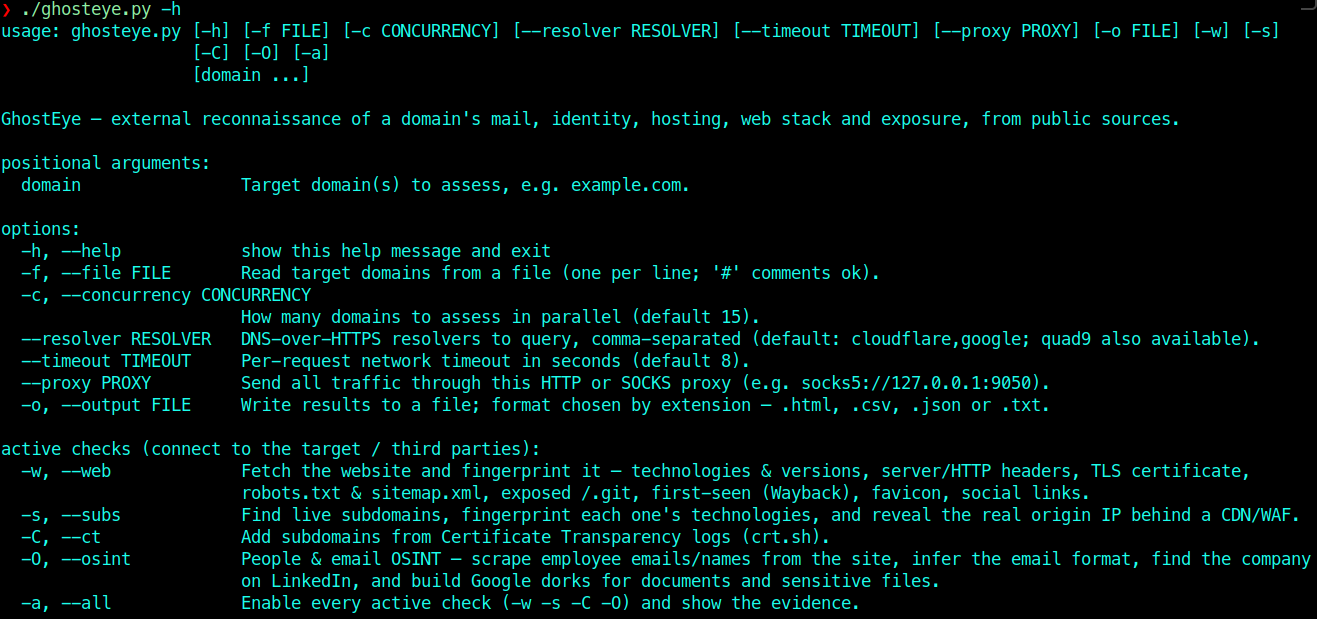
1# passive profile, full report2./ghosteye.py example.com -o profile.html3 4# add the active modules: website, subdomains, people/email OSINT5./ghosteye.py example.com -w -s -O -o profile.html6 7# everything, against a list of domains8./ghosteye.py -f scope.txt -a -o profile.jsonIt's passive by default, needs no API keys, and writes HTML, JSON, CSV, or text so the output drops straight into notes or a report. On a real engagement it saves me the first few hours and, more importantly, keeps me from forgetting a source because I was tired.
Here's what a run looks like. I pointed it at my own domain, black3dm0nd.com:
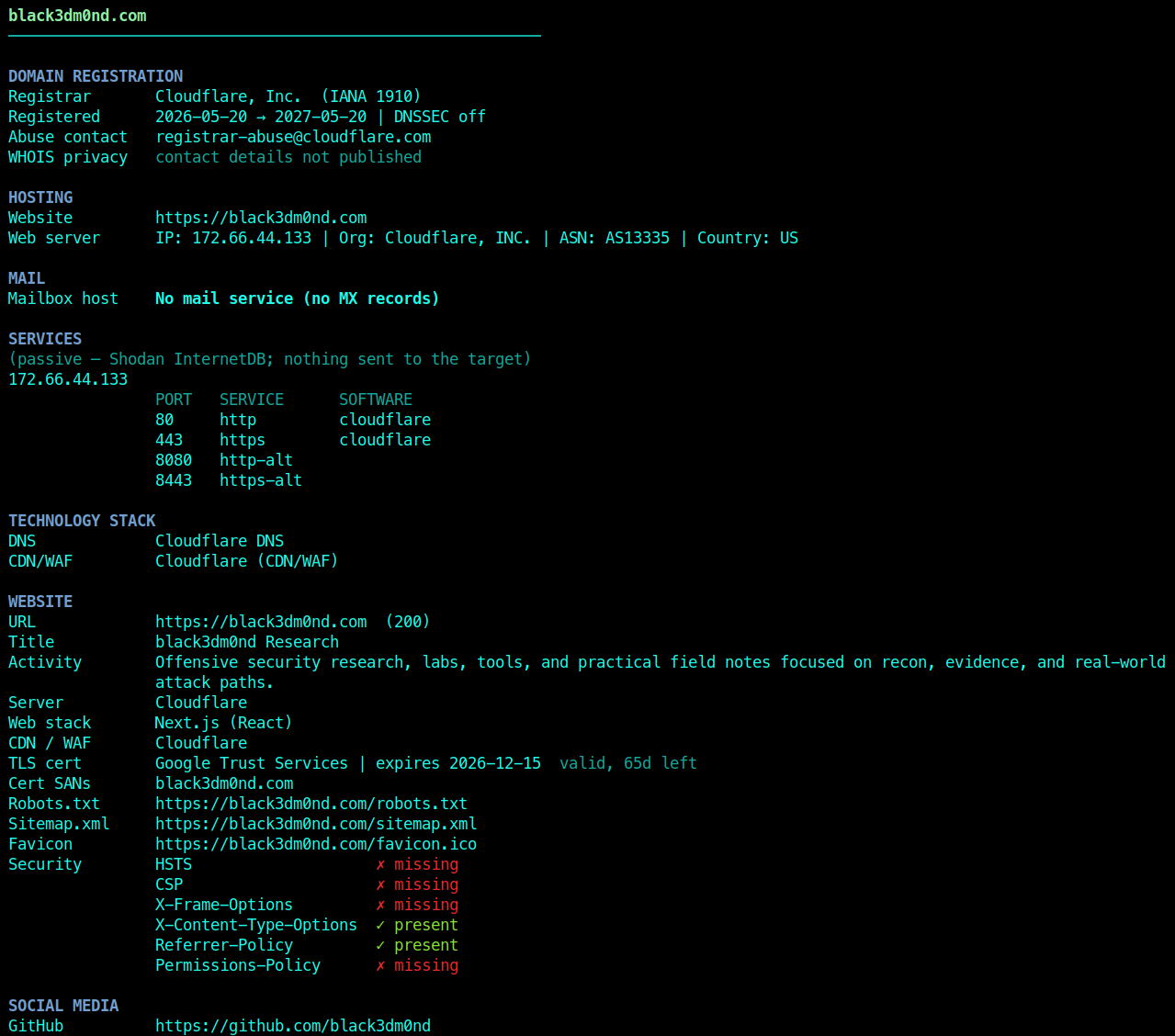
Notice how thin that profile is, and notice why. This is my own site, scanned passively, and it's a one-person research site, not a company, so there's almost nothing to find. No mail service and no MX records, so there's nothing to phish and no SPF or DMARC story to tell. No Microsoft 365 or Entra tenant, so no identity surface at all. A single host behind Cloudflare, no sprawling subdomain estate, and barely any exposure beyond a couple of missing security headers. Point the same tool at a real organization and every one of those empty sections fills in: inbound mail gateways and a spoofability verdict, a tenant with federation details, dozens of live hosts, an email format and a name list. The screenshot is here for the shape of the report, not the deliberately boring contents of mine.
What the tool won't do for you
Ghost Eye gives you the shape. It does not give you the judgment, and anyone who treats an automated profile as the finished product is going to miss the engagement.
Automation collects. It doesn't decide. It can tell you an email format and a list of names, but it can't tell you that the regional subsidiary acquired last year still runs its own tenant with none of the parent company's controls, which is your way in. It can flag an exposed repo, but it can't read the commit history and realize the "test" credentials in it still work in production. It can list fifty employees, but it can't look at the one who posts constantly about the new internal portal and decide that's your phishing pretext.
So I treat the report as a first pass, never the last. I read every finding and then go verify it by hand, because scanners produce false positives and a finding you didn't confirm is a finding that embarrasses you in the debrief. I pivot on the interesting threads the tool surfaced but couldn't weigh. I go back to the sources automation can't judge: reading the actual job descriptions, clicking through the LinkedIn org chart, diffing old site versions in Wayback, searching GitHub for the specific internal hostnames the profile just revealed. The tool points at the haystack. Finding the needle is still your job.
The profile I have before I touch anything
By the time I move from recon to action, I can answer all of this without guessing:
- The real external footprint: domains, live subdomains, IP ranges, ASN, cloud providers, and which origins leaked out from behind the WAF.
- Identity and mail: M365 or Google, SSO portals, tenant details, and whether the domain is spoofable.
- The people: email format, a usable name list, the technical staff, and the obvious social-engineering targets.
- Exposure: public services and versions, exposed
.gitand buckets, leaked secrets in public code, and anything useful buried in Wayback. - A ranked list of the two or three threads most likely to turn into access, and why.
If I can't answer those, I'm not done, and starting the loud part early just tips my hand for nothing.
Recon is where the engagement is decided, so it's where the hours should go. Automate the collection, because a tool like Ghost Eye does the tedious passive sweep faster than you will and won't get bored and skip a source. Then do the part a tool can't: read it, question it, and follow the one thread that matters. The scan gives you data. The profile is what you make of it, and that's still on you.
Affected technology
Remediation
Use this material only inside authorized scope, keep notes reproducible, and validate every automated finding by hand before reporting.
Disclosure timeline
References
Related posts
No research found
Try a different search or filter set.